
Leadership Skills

Leaders have a vision, inspire others to action, and have the ability to make things happen.

Vision: they see what can be, set goals and know how to accomplish them
Inspire: with great communication, courage, compassion, an understanding of people, and motivation
Make important things happen: they know how to solve problems and deal with change and challenges

These skills all sound like great things to have!

The attributes of great leaders:
Listen extraordinarily well
Excellent communicators
Appreciative
Decisive
Emotionally intelligent
Responsible, responsive, and resilient
Smart with money
Helpful and giving of advice, assistance, resources, hard working
Inspirational and initiative takers
Provide opportunities for others

Learn from experts on leadership:

LeadershipSkills

Highlight the following leadership skills in a resume or during a job interview.

1. LEARNING-RESPONSIBILITY: Have you taken classes or taken on extra projects?

2. LEARNING-COOPERATION: Describe a time you asked for help and how you expressed appreciation.

3. LEARNING-LISTENING: Do you listen to understand and give your full attention?

4. LEARNING-OTHER’S NEEDS: Have you trained others or demonstrated a task?

5. PHYSICAL-RESPONSIBILITY: Do you practice and improve skills or demonstrated self-disicipline?

6. PHYSICAL-COOPERATION: Is there a time that you inspired others?

7. PHYSICAL-LISTEN: Have you accepted and acted on advice?

8. PHYSICAL-OTHER’S NEEDS: Have you helped others on your team or mentored someone?

9. FINANCIAL-RESPONSIBILITY: Have you balanced a budget?

10. FINANCIAL-COOPERATION: Have you done any fundraising?

11.FINANCIAL-LISTENING: Have you heard and responded to the needs of others?

12. FINANCIAL-OTHER’S NEEDS: Have you contributed to a cause?

13. SOCIAL-RESPONSIBILITY: Describe a situation when you took initiative.

14. SOCIAL-COOPERATION: Describe an experience working on a team.

15. SOCIAL-LISTEN: Think of a time when your communication skills made a big difference.

16. SOCIAL-OTHER’S NEEDS: Describe a time when you volunteered or helped others.

Check out the Work Skills Toolkit and learn more about how to Develop Work Skills.
Posted in personal development, work skills

On a Personal Note

Double Whammy

Whammy One

Sometimes I get overwhelmed. I’ve subscribed to so many wonderful feeds that I must admit that I have difficulty keeping up with them. There are so many neat people out there! Sometimes I read them and there might be something wonderful that I need to refer to later, or some action I need to take later and so I mark them unread again. Before I knew it, I have such a backlog of unread feeds that I don’t know if I’ll ever be able to catch up. Meanwhile, I’m missing the new news and life is zooming by. I don’t think this is the way Bloglines is really intended to be used.

Whammy Two

Sometimes I neglect to say the things I’d like to say, simply because I don’t want to bother anyone. I feel badly that Phil hasn’t felt well and that Chris lost his Gramps, and I feel badly that I haven’t said that to them. But they are both such incredibly busy people that I don’t know how they do it and I certainly don’t want to add to their burden. It’s beyond me how they have families, work, write, and meet as many people as they do and maintain relationships with them. I’m sure that I’ll never have the kind of energy they must possess! The only way I know them is from reading their blogs, but still it feels like I know them.

I know many people must have sent their messages of sympathy, and there would be too many to respond to. So I think my thoughts of sympathy and hope that those brainwaves will reach them without their having to take the time to read an email. Does this work? Of course not. No one can read minds even with people right in front of us, let alone over great distances. We have to say what we mean and say it well. I’m sure that they appreciate the thought, as a little kindness can never be wrong. We all matter to each other because we are all in this life together. So Phil, I hope you’re feeling better now. And Chris, I’m sorry for your loss.

Posted in personal development

Choosing a Time Management System

100% of us are looking for the perfect time management system that will magically enable us to get everything done. Okay, I made that up. But honestly, how much time have you spent trying out different systems and new applications? Oh, the irony. It’s okay to try out different time management ideas, as long as that’s not all you get done!

A system is a way to organize repeating tasks. For a time management system:

Select a calendar
Your work, your way
Start with to-do today list
Then add more lists: to do later, or tomorrow or this week, GTD lists, ideas
Essential goals and projects
Make lists of repeating tasks

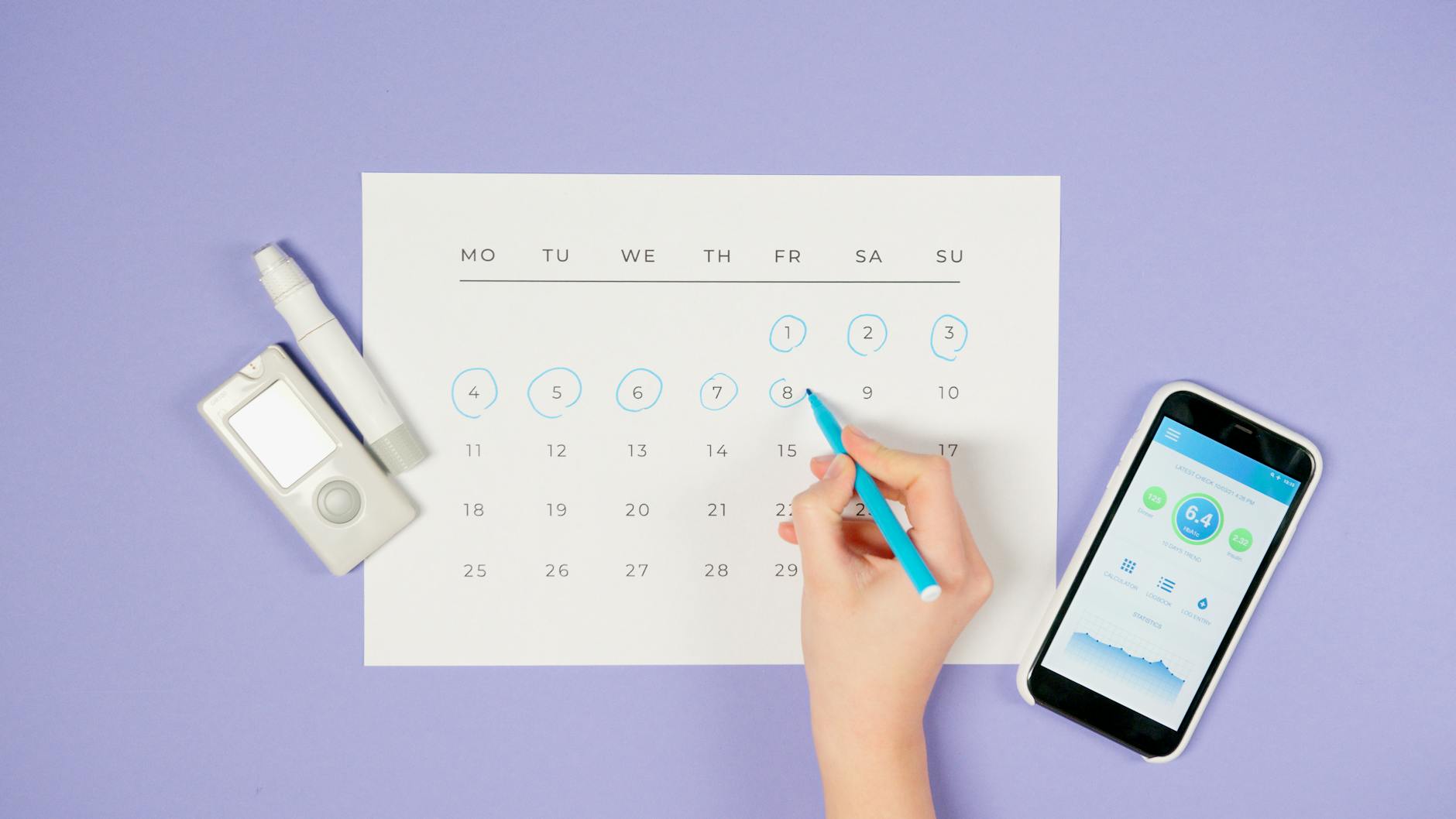
hand smartphone date technology

Photo by Artem Podrez on Pexels.com

Select a calendar

The calendar or planner you choose is an important part of your time management system. There are HEAPs of options!

• Hybrid
• Electronic
• Apps
• Paper

Do you love gadgets and own the latest smartphone? Are you a visual person, do you think best when writing things down? You probably have some idea which way you lean, or whether you might work best with a combination or hybrid system. The study of productivity shows that quite a few productivity experts use a combination of electronic and paper to manage their tasks. David Allen, author of the popular Getting Things Done system, uses mostly paper. Leo Babauta of Zen Habits uses a simple system that he calls Zen to Done. There are advantages and disadvantages to different methods. Laura Stack, The Productivity Pro, outlines the advantages and disadvantages of different methods at “Paper vs Electronic.” My personal preference is to rely on Google calendar with Google Keep and Drive for lists and notes. [Learn more about The Daily PlanIt Keep It Super Simple (K.I.S.S.) System that combines the best of both electronic and paper systems.]

As smartphones and tablets have become increasingly popular, many devices come with a system. There are also many apps available to explore. They vary from very simple, like any.do to more complex methods for integrating Getting Things Done. Characteristics of a good productivity app:

  • Recurring tasks can be handled
  • Easy to use
  • Accesilble across plaforms and able to sync
  • Priorities can be set and easily changed
  • Subtasks or action steps can be handled

Your work, your way

There is no one-size fits all solution. Since we are all different, I believe it takes some experimentation to find something that works well for us. Go to an office store and check out various planners available. Try some things out. The most important thing is to choose a system that works the way you do. Features to look for are a system that is:

  • Portable: Large enough to hold all your information, yet small enough you won’t mind carrying it around
  • Easy to access wherever you go
  • Attractive: well designed forms or screens
  • Customizable: can be adapted to work for your needs
  • Easy to update

Start with a to do today list

A to do list is an important tool for planning and managing your time to make the most of it.

Then add more lists

The to do today list is best kept simple, so more lists need to be a part of any system:

More options to include in a system:

Essential goals and projects

Find a way to include a value statement or USP that AIMs at a vision that is Active, Inspiring, and Meaningful. Plans for action steps to accomplish goals and projects are also an important part of a system.

Make reminders

The best systems have a method to set reminders so important tasks don’t fall through the cracks.

Section possibilities to include:

  • Calendar
  • Master list
  • to-do list
  • goals
  • projects
  • work duties
  • repeating tasks
  • ideas
  • notes
  • information
  • important dates/gift ideas
  • telephone/address
  • shopping list
  • books to read
  • movies to watch
  • checklists

Find free printable forms for planners:

This is the first step of the Time Management Tutorial. With your system in place, you can use it to plan your time to make the most of it. Schedule action steps and do a weekly review to stay on track.

See how I manage my Calendar with a combination of Google, Prodcuctivity Apps and paper.

OLYMPUS DIGITAL CAMERA

A paper planner can be a tool for the weekly review.

Further Reading

Tagged with: , , ,
Posted in productivity

Free Articles at Informit

I happened across a four part article “What It Takes to Be a Good Leader” by Ken Blanchard, based on the book “The Leader Within.” It’s one of the “most popular” articles at Informit.com. There are also a number of articles here written by Richard Templar, author of “The Rules of Life” and “The Rules of Work.”

Posted in personal development, work skills

Me and GTD

I first read the book Getting Things Done: The Art of Stress-Free Productivity by David Allen when it was published in 2001. (Affiliate link: I receive a small commission at no additional cost to you if you click through and make a purchase with an affiliate link. Thank you for your support!) Despite enjoying the book and the ideas therein, I didn’t actually implement them. When I began this blog and became aware of some of the blogs available with productivity ideas, I saw that this book has a huge following. So I decided it was time to take another look. Upon review, I see that there are a couple of things that I have difficulty with.

One is the complexity of the methods. I have had difficulty envisioning what GTD looks like. Looking at a Workflow chart makes my mind hurt. When I hear the words “brain dump” I get a brain freeze – it’s too overwhelming and I can’t think of anything. It was also difficult for me to see which list to put things on. While I like the idea of a Weekly Review and actually do try to at least perform a quick one, the checklist is long and daunting. It sounds good in theory to corral and process all your stuff, but really when the rubber hits the road it makes me tired just to think about it. I think I’ll go lie down for awhile. When I wake up from my nap, I’ll talk about the other thing.

The other thing is the terminology. It just doesn’t speak to me. In the book “How to Get Organized Without Resorting to Arson,” Liz Franklin says “use your own verbs and no one else’s.” People have different work personalities and organizing styles. Some access visually, others are spatial or chronological. Our words should reflect how we access things.

Here are some words that I am more comfortable with:

  • GTD: Collection buckets. ME: Organizing tools
  • GTD: Waiting for. ME Open Loops or Pending
  • GTD: Agendas. ME: Discuss
  • GTD: Next Actions. ME Action steps
  • GTD: Someday/maybe. ME: Idea file

Getting back to complexity:

  • GTD: Calendared actions & information. ME: Calendar
  • GTD: “Next Actions” lists. ME: To Do Today list and other lists
  • GTD: A “Projects” list. ME: Goal and Project Plans
  • GTD: Project support material. ME: Project files
  • GTD: A “Waiting For” list. ME: Follow-up system
  • GTD: Reference material. ME: Weekly plan
  • GTD: A “Someday/Maybe” list. ME: Idea file

A crucial difference is a way to include goals. Since I believe that goals and productivity are like peanut butter and jelly, I make a sandwich that includes both ingredients. For me, it’s clearer to know where to put incoming tasks in The Daily PlanIt Keep It Super Simple (K.I.S.S.) System, and easier to see the big picture.

timetarget

See also GTD Essentials and GTD Made Visual

Posted in Books, goals, productivity

My Sister Invented The Birthday Calculator

calculatorMy sister is a smart cookie. She devised an Excel worksheet that calculates the ages of family members on their birthdays with a formula. (Names have been changed to protect the innocent.) You too can have your very own birthday calculator. Simply enter the names of your own family and their birthdates in the appropriate places, and save the file to your computer. This also works for anniversary dates. Remember to change the year in January and you can amaze everyone with your knowledge.

Posted in information management

It’s a sign

This message was sighted at a real church near me.

church sign

Amen.

Posted in personal development

More Things To Do With Index Cards

Indexed is a blog made of index cards that often make me smile, created by someone with a quirky mind and sense of humor!

Pile of Index Cards has a 43 Tabs System.

Posted in personal development, productivity

Booknotes on The Long Tail

I’ve been reading “The Long Tail” by Chris Anderson, a fascinating look at how the Internet is changing the world. Before the Internet, products were confined by constraints of the physical world that created scarcity economics, a world where only the big hits were accessible. But now an abundance of products can be offered digitally at low expense, providing a huge amount of choice that leads to small but still productive sales to niche markets. We’ve seen this happen with Amazon.com, the online bookseller, and Netflix, which delivers movies to your home. No longer bound by the cost and constraint of a building or a geographic location, they can offer far greater choice, and people buy some of all of it. The amount of choice could be overwhelming, except they offer information that helps consumers make decisions.

Yet they still deal with physical products. Music is the area that has really been changing, as it can exist in digital form. Same thing with podcasts, which are simply audio files, and video podcasts which include video, that you can download. (Booked.tv has a helpful explanation of the differences.) Among other things, I’ve been exploring the possiblities of podcasts by listening to presentations by Tony Robbins at TED Talks, and a podcast about podcasting at Grasshopper New Media (I thought the jokes were great, Chris!) Lifehack.org has a post that says David Allen will be presenting Best Kept Secrets for Personal and Team Productivity, on Tuesday, October 10, 2006 1:00-2:00 PM EDT. It’s pretty exciting to have free access (at least in some areas) to many excellent online learning options that are available to you at your convenience, and the only travel involved is the trip from your kitchen for coffee to your desk.

With a personal computer and minimal equipment, anyone can make a book, video, or audio file. Many choose to do so, and some real talent shows up. In the introduction to the book, the following statistics made me sit up and take notice: most of the fifty best-selling albums of all time were recorded in the seventies and eighties, and none of them in the past five years. Hollywood Box-office revenue was down by more than 6% in 2005, despite a growing population. The top-rated TV shows are also from the seventies and eighties, as TV viewers scatter to cable or satellite channels, or spend their time on the Internet instead. TV produces more content than any other media industry, but it is limited by a 24/7 window and the number of available channels. Only a tiny fraction of this is available to you, even if you record some of it.

With social bookmarking tools like del.ic.ious.com, it’s possible for anyone to organize sites using the tags they choose with an unlimited amount of words. It’s far different in the physical world where there is only one predetermined space to place an item. In a world of abundance, with the tools to find what we are looking for, the options are many and time is an ever more precious commodity.

Here’s the original article from October 2004 in Wired Magazine.

Posted in Books, information management

Listening Skills

Of all the skills involved in communication, one of the most critical is the ability to listen well. It is a vital element of both our work and personal lives, but it is not a skill that is often taught.

“We have two ears and one tongue so that we would listen more and talk less.” –Diogenes

We can listen at a faster rate (400 words per minute) than most people speak (about 125 words per minute), which makes it pretty easy for our attention to wander to other things. Add to that the many distractions that often exist, and it is no wonder that studies show that we’re distracted or preoccupied during about 75 percent of our conversations.

Many benefits come when you BEGIN to listen. Listening helps you to:

Build relationships
Excel at work
Gain knowledge
Increase enjoyment
Navigate life

Be CLEAR to listen well:

Concentrate attention
Look to notice body language
Evaluate emphasis in voice
Ask questions to clarify
Reflect and respond

“You cannot truly listen to anyone and do anything else at the same time.” –M. Scott Peck

Concentrate attention

Listening is focused attention. Think how well you would listen if someone was talking you through defusing a bomb! While it may not always be a matter of life or death, many mistakes are made through a lack of listening.

A large part of communication comes from body language and intonation.

“What you do speaks so loudly that I cannot hear what you say” – Ralph Waldo Emerson

Look to notice body language

The movements of our bodies convey meaning. Learn how to understand body language to interpret nonverbal messages communicated through posture • proximity • eye contact • expressions • gestures.

Evaluate emphasis in voice

The verbal part of a message includes both content (spoken words) plus voice (paralanguage) [clarity • rate • intonation • volume • pitch] Intonation can convey: Emotions, Attitudes, Sentence structure, or Exaggeration. To see how intonation can change meaning, read the following sentence repeatedly, each time emphasizing a different word: “I never said she bought that car.” For another example, “What a great idea,” said with a falling intonation is a compliment, with a rising intonation it is sarcastic.

Ask questions to verify understanding, reflect and respond:
Reflect “how do you feel about that?” “So you feel…” “It sounds like you…”
Ask “can you tell me more about that?” “do you mean…?”
Paraphrase, summarize “let’s see if I understand what you’re saying.” “is that accurate?”

Practice active listening with a partner. Download the Listening Skills and Listening Report Card pdfs from the Daily Planit, then take turns discussing the topic “something I’m really proud of is…” First demonstrate ineffective listening, then effective listening. (one minute of each)

ListeningInfographic

Book and TED Talk:  I Want to Hear You by John Igwebuike, TED talk Strategies for active listening. (Amazon affiliate link provides a small commission that helps to support the Daily PlanIt)

More TED Talks: Conscious Listening, the sound of happiness, and 5 ways to listen better by Julian Treasure, The Power of Listening by William Ury, 10 Ways to Have a Better Conversation by Celeste Headlee

Watch videos: How to Improve Your Listening Skills from Litmos Heros (4:54) and a clip about active listening from Everybody Loves Raymond (3:00).

More places to learn listening skills:

Courses:

Learn more at the #1 Skill Employers Want: Communication.

Posted in work skills
eBooks

Enter your email address to follow this blog and receive notifications of new posts by email.

Archives
Blog Stats
  • 742,932 hits